Robotics tooling
LeRobot GUI Visualizer
A Python/Qt desktop wrapper that turns LeRobot recording, training, deployment, diagnostics, and experiment review into a tabbed lab workflow instead of a command-line checklist.
What I built
A GUI around the full LeRobot loop
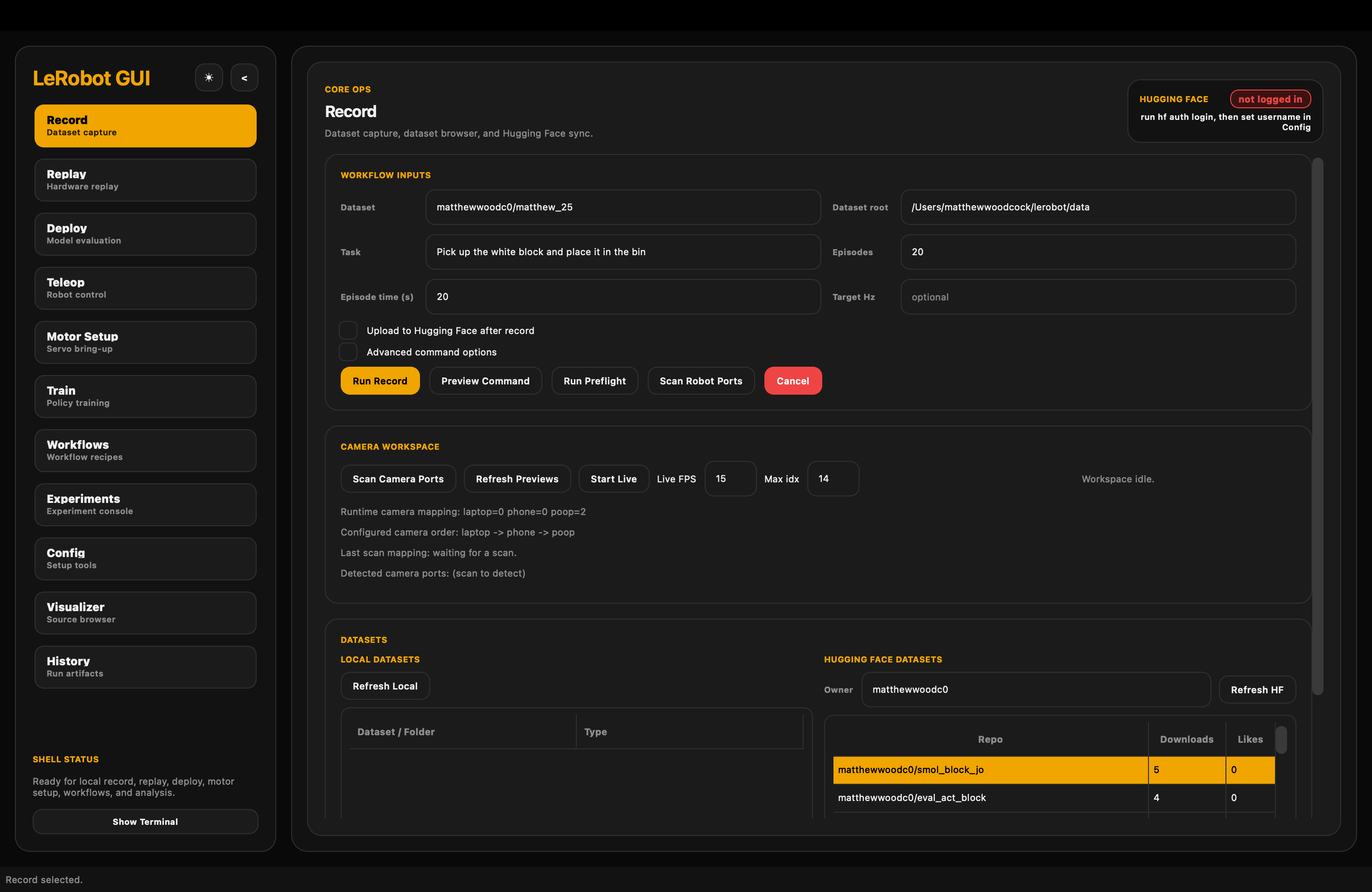
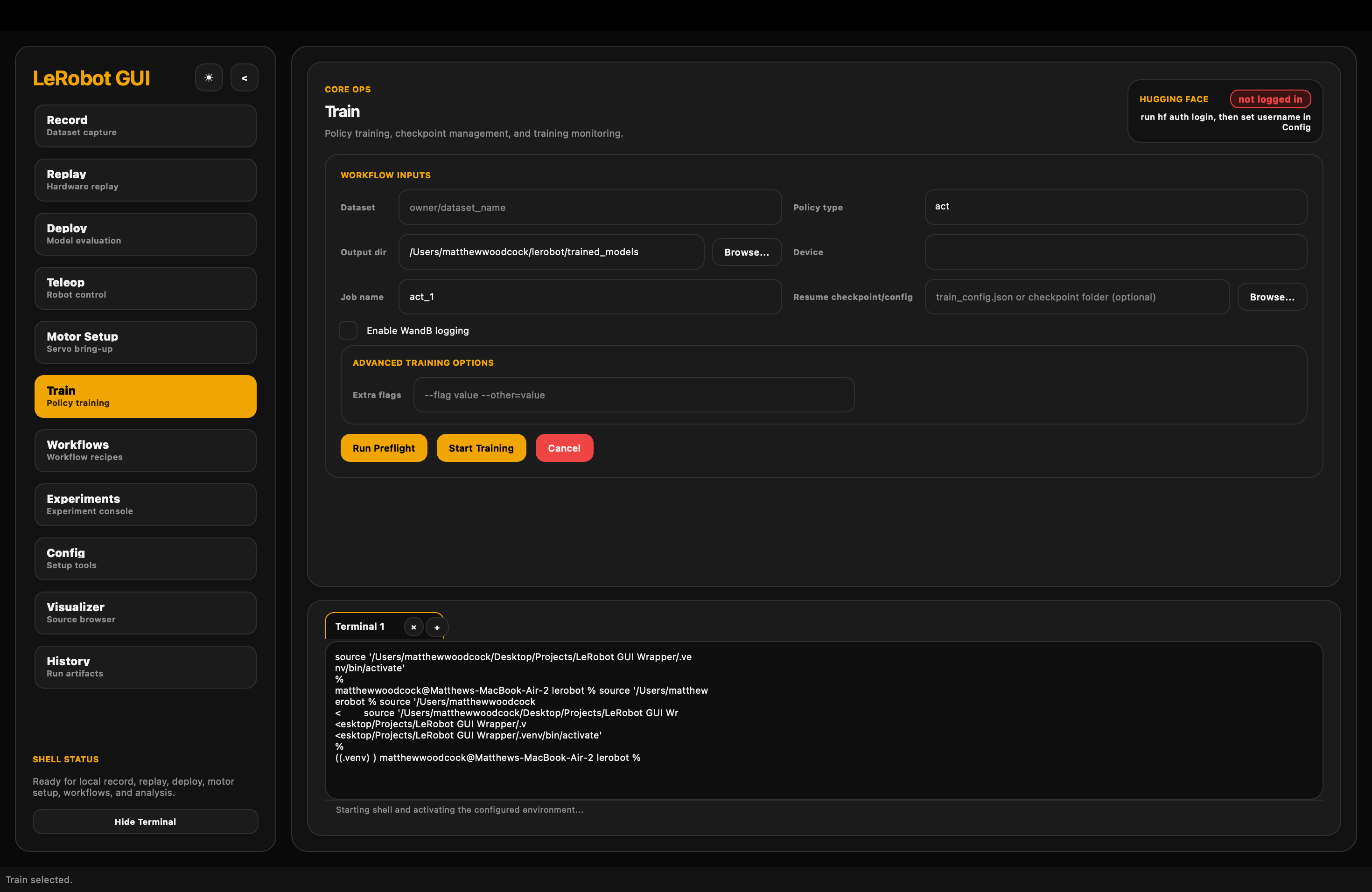
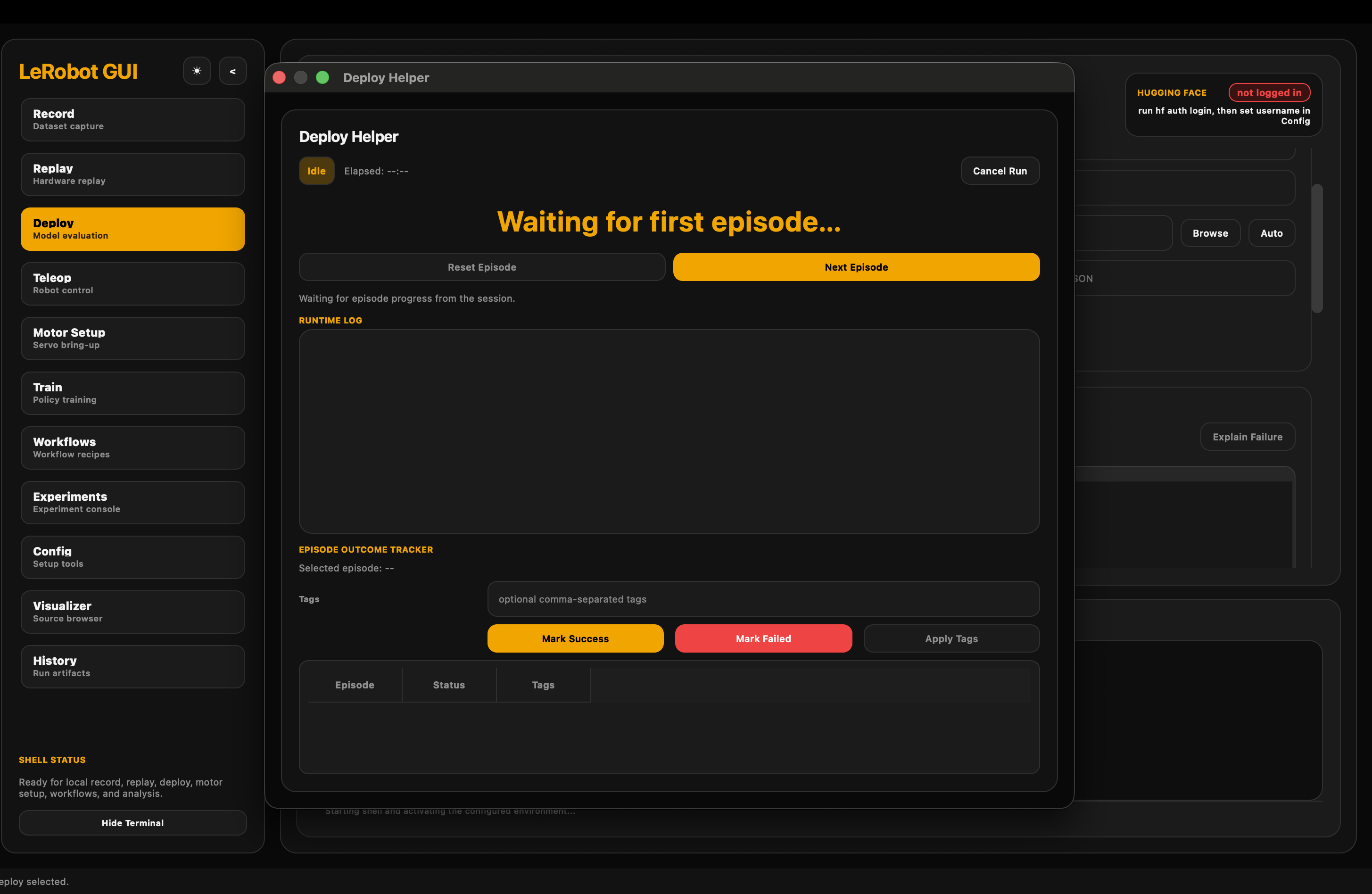
I built the GUI framework for a local LeRobot workflow manager with tabs for configuration, teleoperation, dataset recording, deployment, training, experiment comparison, replay, motor setup, workflow queues, history, and visualization.
The goal was not to hide LeRobot. It was to remove repeated command construction, camera/port hunting, and one-off debugging edits while keeping generated commands and terminal output visible enough to inspect.
Stack
Python, Qt, and LeRobot
The project is a Python desktop application using a Qt-based visual interface. It wraps a user's existing LeRobot installation, supports the validated LeRobot 0.5.x track with fallback support for 0.4.x, and targets SO-101/feetech robotic-arm workflows.
The repository includes documentation for setup, config, teleop, recording, deployment, training, experiments, hardware operations, preflight errors, and support bundles.
Automation
Checks before expensive runs
The most automated part is the system health and setup checking. The GUI checks whether robot devices are detected, ports and cameras are available, required environment pieces are installed, and common run conditions are valid before users spend time on a broken record, train, or deploy attempt.
- Examples: missing cameras, disconnected robot devices, serial/permission problems, Qt/OpenCV environment conflicts, and missing dependencies such as ffmpeg or feetech support.
- Name collisions: detects or manages cases where a user is about to write to a dataset/model name that already exists.
- Runtime issues: surfaces problems such as inference lag and hardware setup failures earlier in the workflow.
Lab impact
Less command hunting
Multiple people in the lab used the tool. In practice, it cut roughly 50% of the time spent finding commands, rewriting command variants, and making custom edits for recurring setup and bug-fixing tasks.
That mattered because the lab work involved real hardware: leader/follower SO-101 arms, camera setup, calibration, recording, training, deployment, and evaluation. Small setup mistakes could waste an entire run.
Evidence
Public repository
- Code: public GitHub repository.
- Language: Python.
- Artifacts: screenshots, README, Resources documentation, tests, GUI application package, and workflow scripts.
Why it matters
Research tools shape research velocity
This project is useful because robot-learning experiments are fragile. The model is only one part of the system; the rest is hardware detection, camera setup, calibration, data quality, command correctness, and repeatable evaluation.
The GUI made those pieces more inspectable and repeatable for lab users, which made it easier to spend time on robotics experiments instead of re-solving the same setup problems.